


Shareholder Return
◼️ Basic policy on allocation of profit
The Company recognizes shareholder returns as a key management priority.
Our basic policy is to maintain continuous dividend payments in line with business performance, while balancing shareholder returns with the strengthening of our financial base through the accumulation of retained earnings.
Furthermore, we are targeting a dividend payout ratio of 30% or greater for the near term.
◼️ Shareholder Benefits
Shareholders holding at least one trading unit (100 shares) will receive the following two shareholder benefits:
・Shopping discount points
・Coupon for an increased appraisal value
Benefit 1
Shopping discount points
These shopping discount points can be used at our retail stores and official online stores.
We will grant 1,000 or 2,000 points via our official "Trefac App.“
These points can be applied toward purchases at a rate of 1 yen per point.
- Shareholders holding at least one trading unit (100 shares): 1,000 points
- Shareholders holding at least four trading units (400 shares): 2,000 points
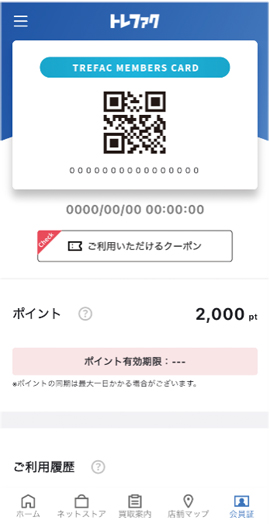
Benefit 1
About Using Shopping discount points
Eligible Stores and Online Stores
- Treasure Factory stores (excluding four franchised stores in Fukushima Prefecture)
- Brand Collect stores
- Trefac ONLINE (General reuse online store)
- Trefac FASHION (Fashion reuse online store)
- Brand Collect Online (Brand items reuse online store)
Notes on Usage
- These points cannot be used at stores or online stores operated by our group companies.
- [Major store brands operated by group companies]
- Kindal
- PickUp
- Kinburry
- Golf Kids
- Golf King
- Golfer’s Place
- These points are available only for our shareholders.
* Notes on using points at online stores
- Registration with "Trefac Members" is required to use our online stores.
- On the "Enter Order Information" screen, under the "Use Points" section, select how you wish to use your points, and make sure to click the "Apply" button to confirm.
- If you select "Use a portion of points," please enter the number of points you wish to apply.
Benefit 2
Coupon for an increased appraisal value
This coupon for an increased appraisal value can be used at our stores and for our home-delivery purchase service.
- Shareholders holding at least one trading unit (100 shares): Coupon for a 20% increase in appraisal value
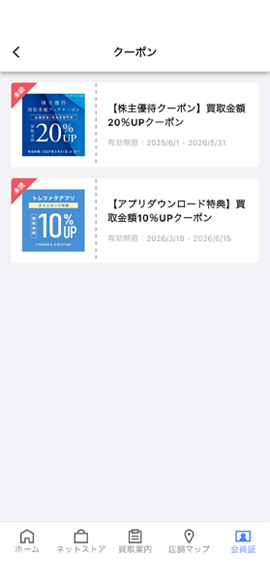
Benefit 2
About Using a Coupon for an increased appraisal value
Eligible Stores and Online Stores
- Treasure Factory stores (excluding four franchised stores in Fukushima Prefecture)
- Home-delivery purchase service (General reuse)
- Home-delivery purchase service (Fashion reuse)
Notes on Usage
- This coupon cannot be used for the home-visit purchases service or at stores operated by our group companies.
- [Major store brands operated by group companies]
- Kindal
- PickUp
- Kinburry
- Golf Kids
- Golf King
- Golfer’s Place
- This coupon is available only for our shareholders.
- Once displayed on the app, the coupon will disappear if the screen is closed. Please activate the coupon only immediately before use.
* Notes on using a coupon for the home-delivery purchase service
- When you use the coupon for an increased appraisal value on the app, a coupon code will be displayed.
- On the "Home-Delivery Purchase Application" screen, under the "Coupon" section, enter the coupon code, and make sure to click the "Apply" button to confirm.
How to Claim Shareholder Benefits
Open the app and tap the menu in the upper left.
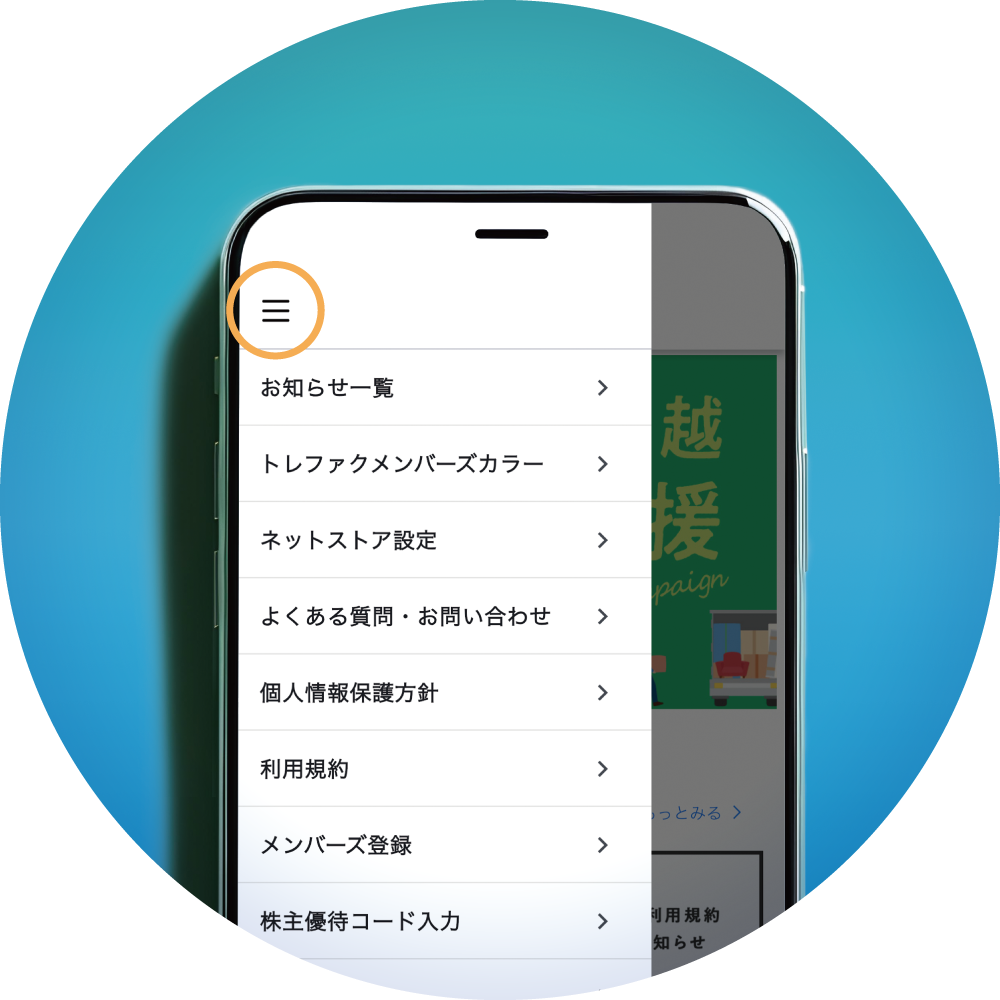
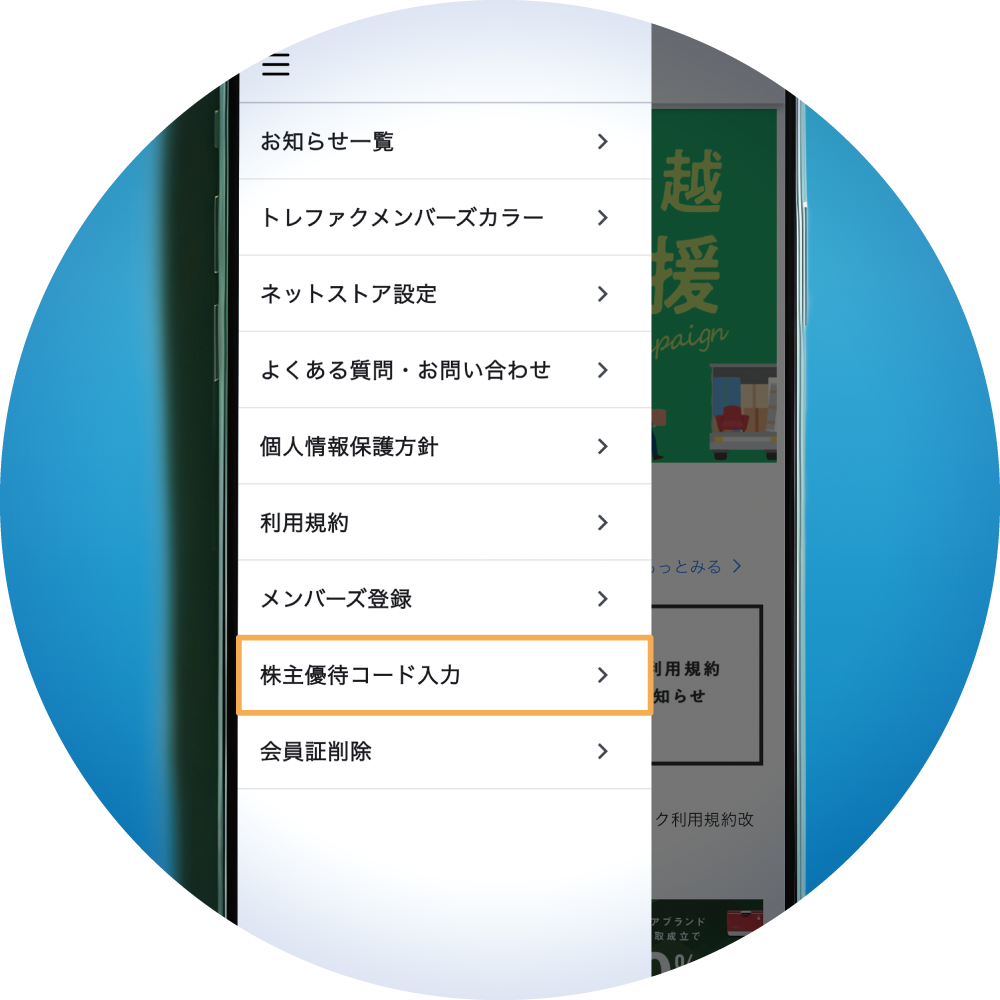
Tap "Enter Shareholder Benefit Code" at the bottom of the menu.
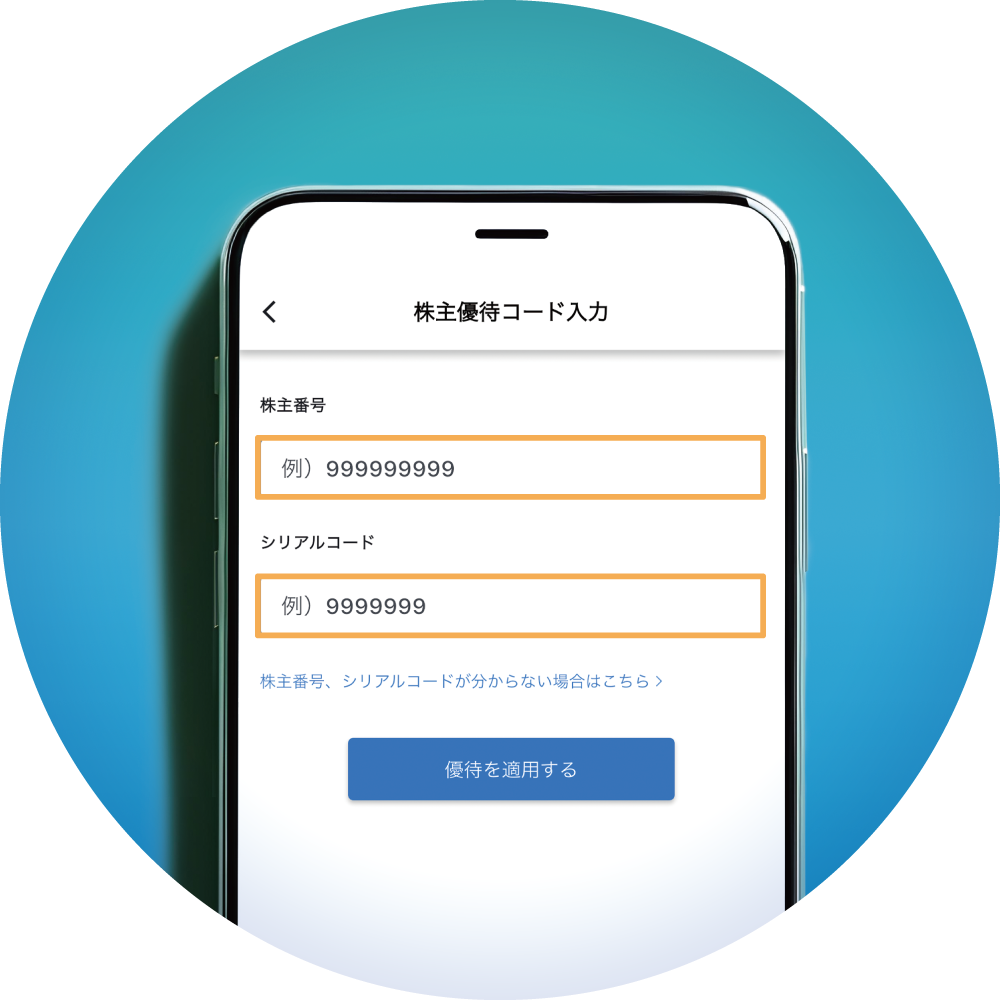
Enter your shareholder number in the "Shareholder Number" field and your serial code in the "Serial Code" field, then tap "Apply Benefits."
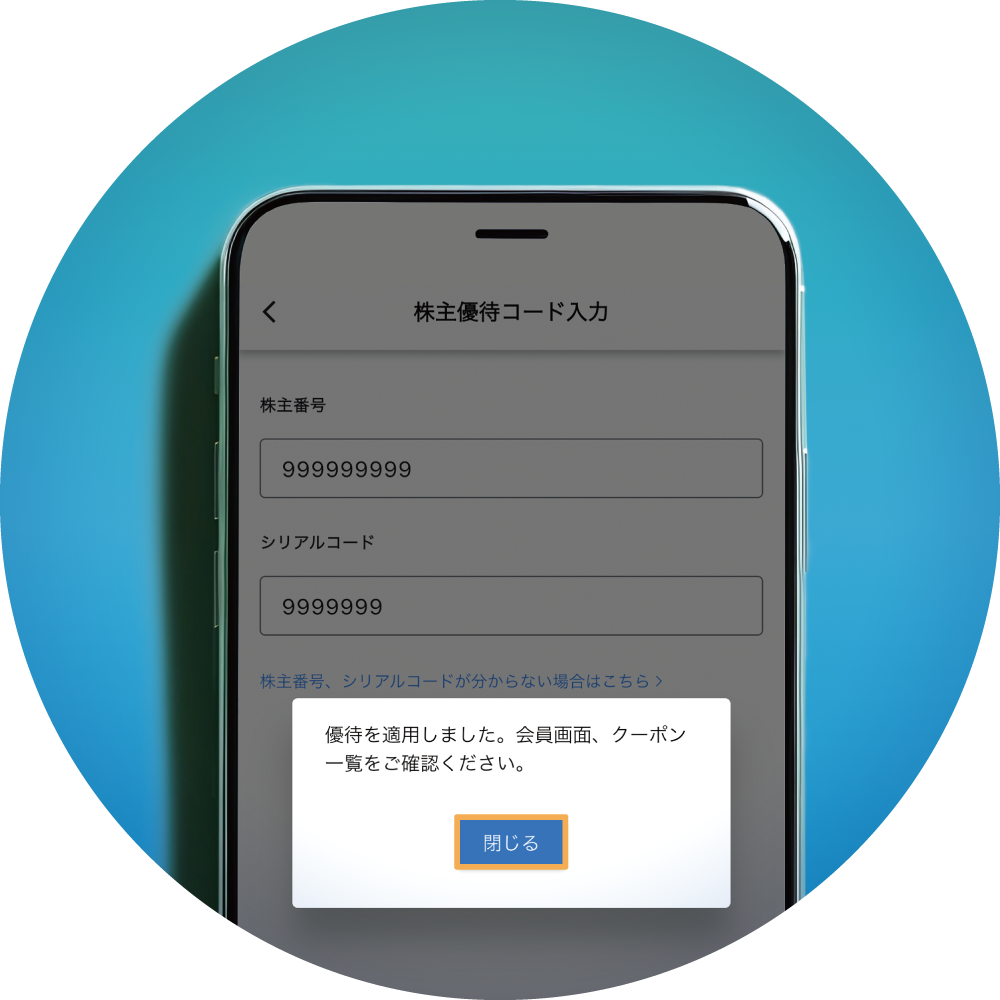
When the message "Benefits have been applied. Please check the membership card screen and coupon list" appears, tap "Close."
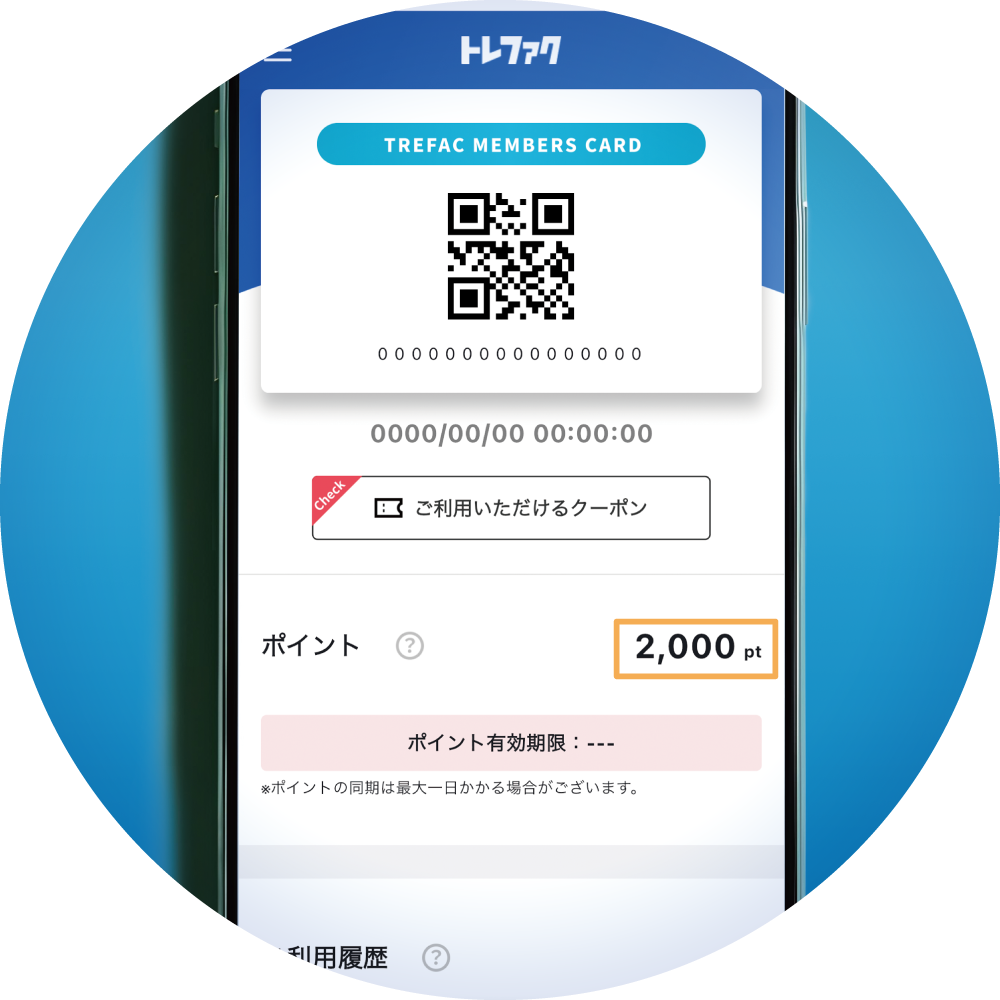
Either 1,000 or 2,000 points will be issued to your "Points" balance.
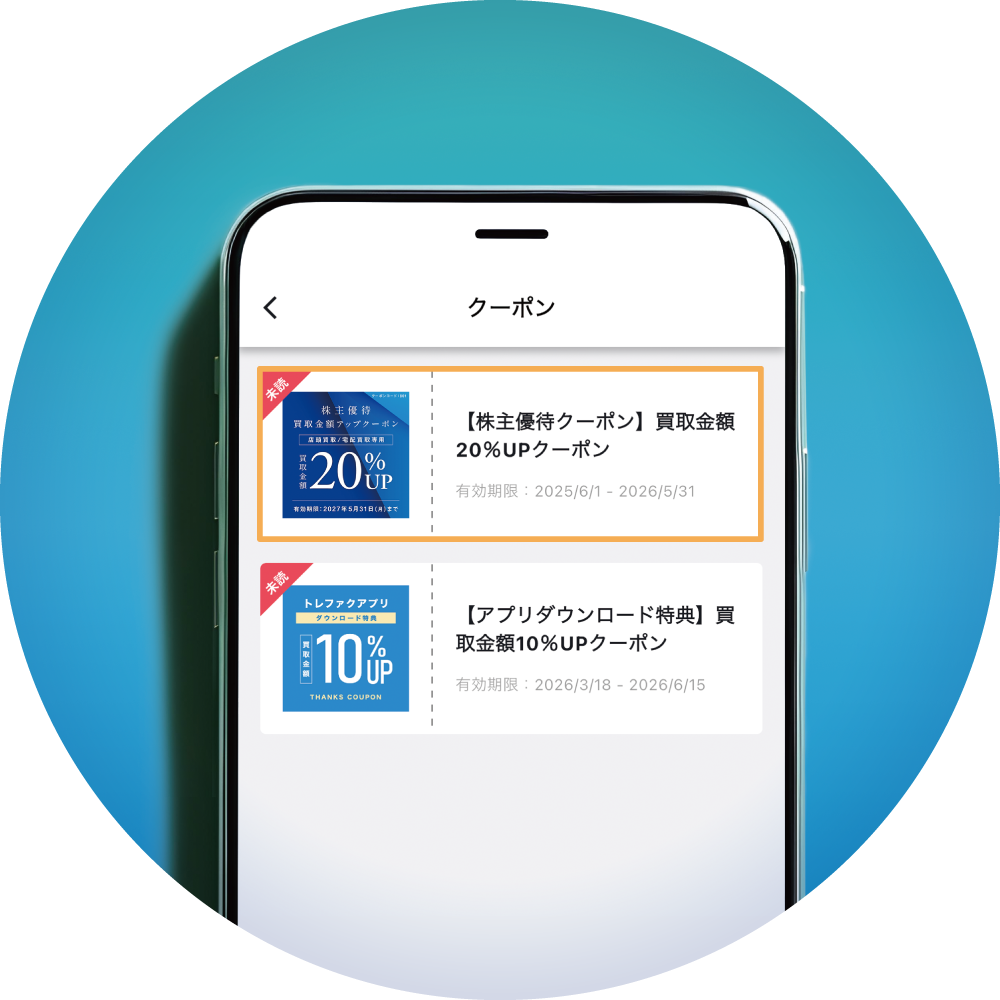
A coupon for a 20% increase in appraisal value will be issued under "Available Coupons."
Notes on Usage
- Please enter the 9-digit number printed on your dividend documents as your shareholder number.
- The serial code is indicated in the "Shareholder Benefits Guide" mailed to shareholders in late May each year.